Most business owners think about website security only when it is too late: a strange banner appears on the homepage, the browser shows a red warning, and leads vanish into nowhere. It is not just big companies that get hacked. Ordinary small business sites suffer too, because attacks are automated, run at scale and do not pick their victims.
The good news is that protecting a website from hacking rarely requires expensive tools. In most cases it is enough to get updates, access and backups in order. Below is a practical minimum you can check yourself in a single evening.
Why small business websites get hacked
Attackers usually do not care about your site specifically. They want a server to send spam from, a place to plant hidden links, pages for phishing or someone else's resources for crypto mining. Bots scan websites around the clock looking for known vulnerabilities — outdated plugins, weak passwords, exposed admin panels.
The consequences for the business are very real:
- search engines flag the site as dangerous, and traffic from Google and Yandex drops sharply;
- browsers show visitors a warning instead of your page;
- the hosting provider may suspend the account for sending spam;
- customer data from forms and personal accounts leaks;
- recovery takes days, and sometimes the site has to be rebuilt from scratch.
Updates: the most underrated protection
Mass hacks most often exploit vulnerabilities that were patched long ago. CMS and plugin developers close the holes, but if a site has not been updated for years, it stays wide open.
What needs regular updates:
- the CMS core — WordPress, 1C-Bitrix, OpenCart and others;
- plugins and modules — especially forms, sliders and page builders;
- the theme, if it still receives updates;
- the PHP version and other server software — usually from the hosting control panel.
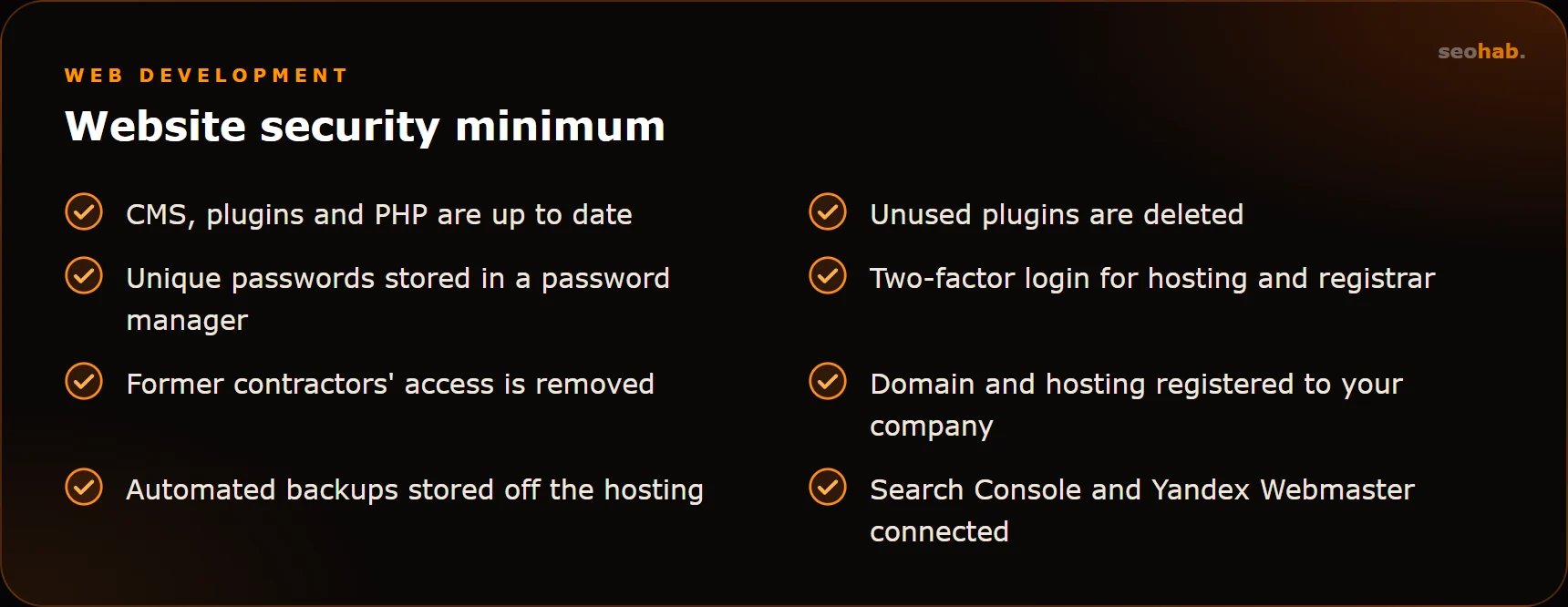
Checking where you stand is easy: most CMS admin panels have a section listing available updates, and the hosting panel shows your PHP version. If dozens of updates have piled up and your PHP version is no longer supported, that is item one on your plan.
One key rule: update only after a fresh backup and, where possible, test on a staging copy first. Updates sometimes break layouts or features, and rolling back should take minutes, not days.
A separate problem is abandoned plugins that are no longer maintained, and premium extensions downloaded for free from shady websites. The latter often come with malware already built in. Anything you do not use should be deleted, not just deactivated.
Access and passwords: who can log in to your site
The second common attack scenario is guessed or leaked passwords. Over a few years, a site passes through the hands of several agencies, freelancers and employees, and many of them keep their access long after the work is done.
Run an access audit:
- List every login: CMS admin, hosting, FTP/SFTP, database, domain registrar, email, analytics, Google Search Console and Yandex Webmaster.
- Remove accounts of former employees and contractors.
- Change passwords to long, unique ones and keep them in a password manager, not in a chat or spreadsheet.
- Turn on two-factor authentication wherever it is available — starting with the domain registrar and hosting.
- Grant the minimum rights needed: a content manager does not need an administrator role.
The domain and hosting must be registered to your company, not to the developer. Otherwise, if there is a dispute or the contractor leaves, you risk losing the site entirely.
Backups: a rule, not an option
A backup is the only thing that reliably saves you after a hack, a failed update or a server crash. But a copy is only useful if it is recent, complete and stored separately from the site.
Minimum requirements for backups:
- the copy includes both files and the database — files alone will not restore content and orders;
- frequency depends on how often the site changes: daily for an online store, weekly is usually enough for a brochure site;
- several versions from different dates are kept, because infections are often discovered weeks later;
- at least one copy is stored outside the hosting account — in cloud storage or on another server;
- backups are automated and do not depend on someone remembering to make them.
Most importantly, test restoring from time to time. Deploy a copy to a staging subdomain and make sure everything opens. A backup that has never been restored is a hope, not a safeguard.
Basic hack protection: server and CMS settings
Beyond updates and passwords, there is a set of settings that block typical attacks. Most of them are configured once, at launch or during an audit.
- HTTPS on every page with automatic SSL certificate renewal and a redirect from http.
- Limited login attempts and protection against password brute-forcing.
- A non-standard admin login URL or admin access only from specific IP addresses.
- Disabled theme and plugin file editing from inside the admin panel.
- Correct file and folder permissions, with directory listing turned off.
- SFTP instead of plain FTP, which sends passwords unencrypted.
- Spam and bot protection on forms — a captcha or hidden honeypot fields.
On popular CMS platforms, trusted security plugins cover some of these measures. But a plugin is not a substitute for updates and strong passwords — it is an addition to them.
Monitoring: find out about problems before your customers do
Hacks often go unnoticed: malicious code shows ads or redirects only mobile visitors, or only people coming from search. The owner opens the site directly and sees nothing suspicious.
What to set up:
- Google Search Console and Yandex Webmaster — both send alerts if they detect malware or signs of a compromise;
- uptime monitoring — a service checks the site every few minutes and notifies you when it goes down;
- alerts for admin logins and file changes, if your CMS supports them;
- regular file scans with the malware scanner many hosting providers offer.
Check security and indexing reports regularly. A sudden appearance of unfamiliar pages in the index, for example about casinos or pharmaceuticals, is a common sign that spam pages have been planted on your site.
What to do if your site has already been hacked
Do not panic, but act fast. The order of actions looks roughly like this:
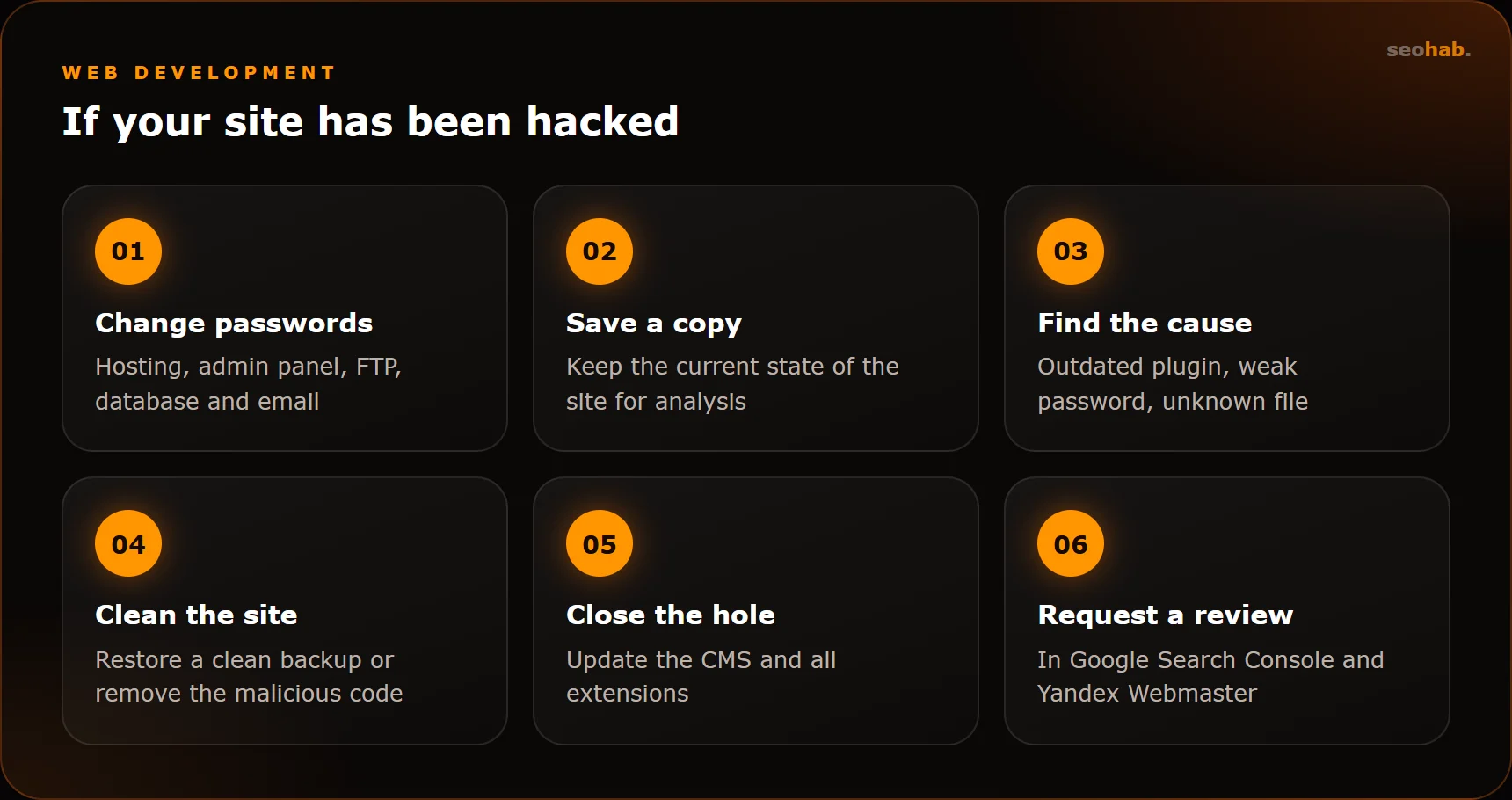
- Change all passwords: hosting, admin panel, FTP, database, email.
- Save the current state of the site for analysis — even if it is infected.
- Find the entry point: an outdated plugin, a weak password, an unknown file.
- Restore the site from a clean backup or remove the malicious code manually.
- Update the CMS and all extensions, and close the vulnerability you found.
- Request a review in Google Search Console and Yandex Webmaster.
Restoring a backup without closing the vulnerability means getting hacked again within days. That is why the root-cause step must never be skipped.
The bottom line
Website security rests on four simple things: regular updates, controlled access, automated off-site backups and monitoring. It is not a one-time task but a routine that should become part of how you run your site.
If you do not have time to handle it yourself, we can take your site on technical support so updates, backups and monitoring stay under control. If your site has already been compromised or is badly outdated, we will help with fixes and recovery. And a few more problems worth solving in advance are covered in our article on website development mistakes.
Read also
 Development
Website Prototype: Why You Need One, How It Is Built and How It Differs from Design
What a website prototype is, which problems it solves before design and coding begin, how prototyping works and what to check before sign-off.
 Development
Website Redesign Without Losing Traffic: A Step-by-Step Plan
A step-by-step redesign plan that protects rankings and traffic: from a snapshot of your current site to monitoring in Search Console after launch.
 Development
Which Features an Online Store Needs at Launch and What Can Wait
The must-have feature set for launching an online store, and the list of things better added after your first sales and analytics data.