
A website prototype is a schematic of your pages that shows which blocks go where, what the headings say and where the buttons lead. There are no colors, fonts or photos — only structure and logic. It is the cheapest stage at which you can change almost anything.
Let’s look at why you need a prototype, how prototyping works, how a prototype differs from design and what to check before you approve it.
What is a website prototype
If we compare it to construction, a prototype is the floor plan: where the walls, doors and windows are. Design is the interior finish and furniture. Finishing a room before the plan is fixed makes no sense — moving a single wall would ruin it.
Prototypes come in different levels of detail:
- Sketch. A hand drawing or a rough layout in a simple editor. Good for the first discussion of ideas.
- Wireframe. Grey blocks with real headings and approximate copy. This is the main working format.
- Clickable prototype. Linked screens: you can press a button and go to the next page. It lets you test user scenarios before development.
For a landing page or a business card site, a wireframe is usually enough. For an online store, a service with user accounts or a complex catalog, a clickable prototype is worth it.
Most prototypes today are made in Figma. The tool matters little to the client: what matters is opening the prototype by link and leaving comments right on the schematic.
Why you need a website prototype
The main purpose of a prototype is to make decisions about structure and content before they become expensive. Moving a block in a prototype takes minutes. Moving it in a finished layout takes hours and sometimes means reworking the neighboring elements.
What else a prototype gives you:
- A shared picture of the result. The client, designer, developer and copywriter see the same thing and discuss specifics rather than abstractions.
- A check of the sales logic. You can see the order in which visitors get information, where the call to action appears and whether the request form gets lost.
- A basis for copy. The copywriter knows the size of each block instead of writing long texts that later get cut.
- An accurate development estimate. When every feature is visible on the schematic, the estimate becomes predictable.
Many mistakes that hurt sales are made precisely at the structure stage. We collected them in our article on website mistakes that kill sales.
Prototype vs design: what is the difference
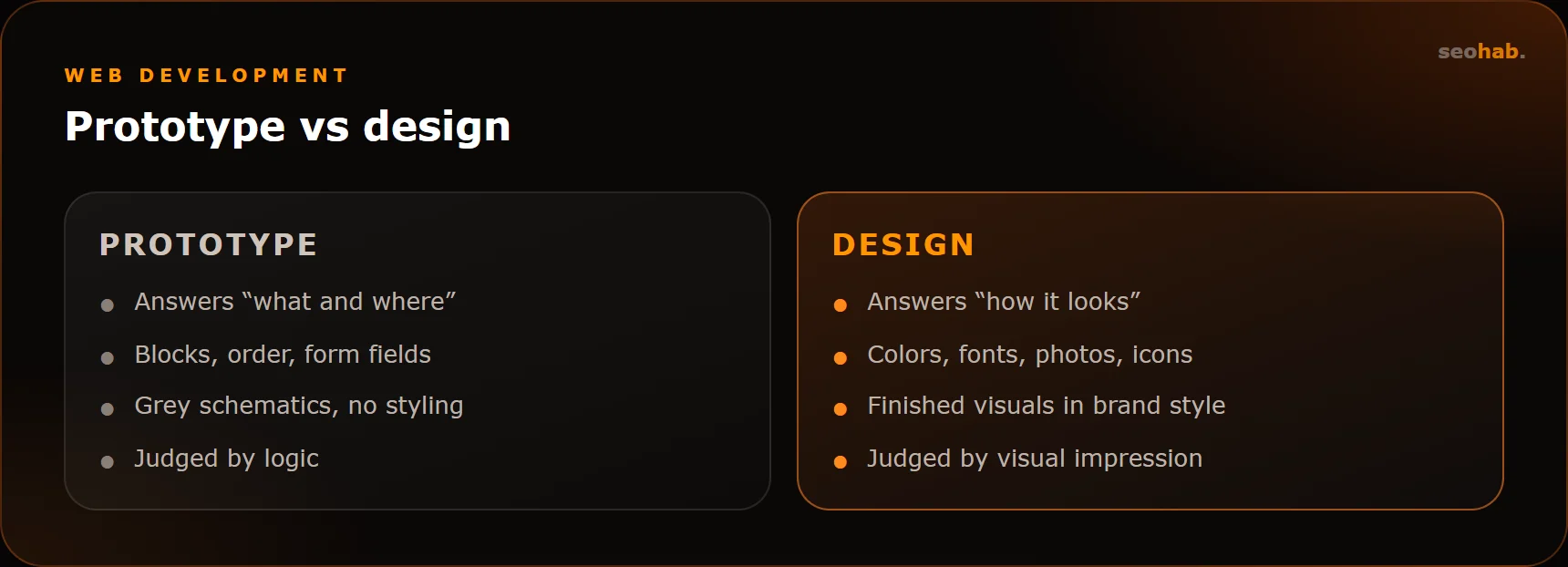
Prototype and design are often confused, and sometimes teams try to merge them into one stage. But they serve different purposes, and discussing both at once is awkward: attention goes to the button color instead of whether the button is needed at all.
- A prototype answers “what and where”. Which blocks, in what order, which form fields, what the user sees on mobile.
- Design answers “how it looks”. Colors, fonts, illustrations, photos, spacing, button states.
- A prototype is judged by logic, design by visual impression and brand fit.
The rule is simple: approve the prototype first, then draw the design. That way the design review does not turn into a second debate about structure.
How prototyping works
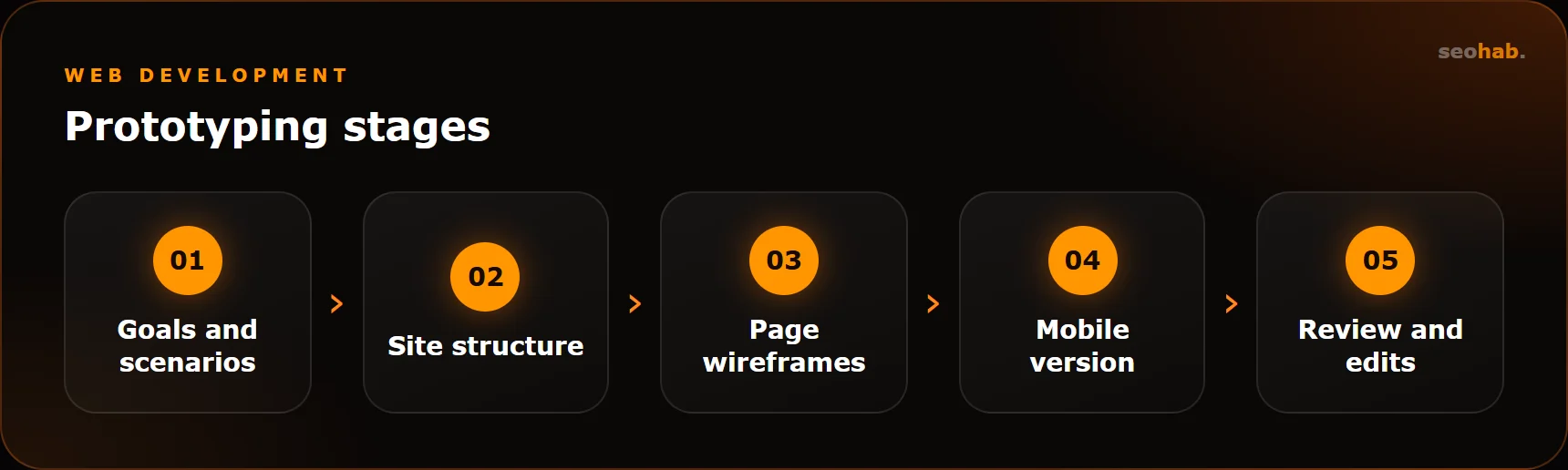
The process varies between studios, but the basic sequence is the same.
1. Goals and scenarios
We define who comes to the site and what they should do. For example: a coffee shop owner looks for a bean supplier, compares terms and requests a tasting set. Each scenario is a path the prototype must support.
2. Site structure
We map the pages: sections, hierarchy, menus. At this step it helps to consider search queries, so that important topics get their own pages. If you already have a site, check analytics to see which pages people actually visit.
3. Key page wireframes
We draw the home page, service or catalog pages, the product card and contacts. Blocks get real headings rather than placeholder text — that is the only way to see whether the message works.
4. Mobile version
We plan separately how blocks rearrange on a smartphone: what collapses, where the call button sits, how the menu looks. Skip this step, and the mobile version gets assembled from leftovers.
5. Review and edits
We show the prototype to the client and, where possible, to a few people from the target audience. We ask them to complete a scenario and watch where they stumble. After edits, the prototype is approved and handed over to design.
What the business should prepare
A designer draws the prototype, but without input from the business it will only be right in theory. You will need:
- Customer knowledge. What people ask your managers, what makes them hesitate, why they choose others. This is the best source of ideas for page blocks.
- Materials. Price list, service descriptions, benefits, certificates, portfolio — everything that will be on the site.
- One decision-maker. A single person who collects feedback from colleagues and makes the final call. When five people send edits directly, the prototype starts contradicting itself.
- The specification. If you have one, the prototype is checked against it. If not, the prototype partly replaces it.
The more real customer data goes in, the more accurate the structure that comes out.
What to check before approving a prototype
An approved prototype is the foundation for everything that follows, so check it against this list:
- The first screen makes clear what is offered, to whom, and why choose you.
- Every key page has a call to action, not just the bottom of the home page.
- Answers to frequent customer questions (prices, timing, delivery, guarantees) are on the site.
- The request form has only the fields you really need.
- Any section can be reached from any page in 1–2 clicks.
- The mobile version is planned, not just the desktop.
- Every feature from the specification appears on the schematics.
For more on how structure affects leads, see our guide on how to increase website conversion.
Common prototyping mistakes
- Skipping the stage to save time. Time “saved” on the prototype is usually spent on reworking design and code.
- Discussing colors at the wireframe stage. A prototype is grey on purpose — it makes the structure easier to judge.
- Filling blocks with placeholder text. Without real headings you cannot tell whether the page persuades.
- Copying a competitor’s structure. Another site solves another company’s problems and may not work well in the first place.
- Prototyping for desktop only. Many visitors arrive on smartphones, so the mobile logic must be planned in advance.
- Approving pages one by one. Separately approved pages may not add up to a single customer journey.
- Forgetting SEO. If important queries have no dedicated pages, the structure will have to change later.
Summary
A website prototype is an inexpensive way to agree on structure, scenarios and content before design and development. It answers “what and where”, while design answers “how it looks”. Go through the stages in order: goals, structure, page wireframes, mobile version, review. And do not approve a prototype until it passes the checklist.
At SeoHab, prototyping is part of our website design service: you can order a prototype separately — from $300 — or as part of a full project. To discuss your task, reach us via the contacts page.
Read also
 Development
Website Security: Hack Protection, Updates and Backups — a Practical Minimum for Business
A practical website security minimum: updates, passwords and access, backups, monitoring and a clear plan for what to do after a hack.
 Development
Website Redesign Without Losing Traffic: A Step-by-Step Plan
A step-by-step redesign plan that protects rankings and traffic: from a snapshot of your current site to monitoring in Search Console after launch.
 Development
Which Features an Online Store Needs at Launch and What Can Wait
The must-have feature set for launching an online store, and the list of things better added after your first sales and analytics data.