
E-commerce SEO differs from promoting a regular website in one key way: scale. You don't have ten pages, you have hundreds of categories and thousands of products, and every mistake in a template is copied across the whole catalog. One misconfigured filter, and tens of thousands of junk URLs end up in the index while your important pages get crawled less often.
In this article we'll look at how to set up categories, product pages, filters and pagination so that each page type targets its own search demand and duplicates don't eat your crawl budget. At the end you'll find a checklist for auditing your store yourself.
Catalog structure: the foundation of e-commerce SEO
Store optimization starts with structure, not with copy. Search queries come in levels: broad ("buy sneakers"), refined ("men's running sneakers") and product-level ("Model X size 10"). Each level needs its own page type: a category, a subcategory or filter landing page, and a product page.
Build the structure from keyword research, not from warehouse logic. Collect queries with Google Keyword Planner, Wordstat or Key Collector, group them by intent, and check how search engines rank competitors: if two queries return the same pages, they belong on one landing page; if results differ, you need two.
- Keep click depth to 3–4 clicks from the home page to any product.
- Use readable URLs that reflect hierarchy: /catalog/shoes/sneakers/running.
- Give each product one primary URL, even if it belongs to several categories.
- Add breadcrumbs to every page: they help both navigation and internal linking.
Category pages are your main landing pages
Most organic traffic in a store lands on categories, because they rank for high-volume commercial queries. That means a category must be a full-fledged page, not just a product grid.
What a category page needs
- A unique title and H1 built around the main query, without stuffing every synonym.
- Enough products: a page with two items loses to competitors with a hundred.
- Sorting, filters, visible prices and stock status right in the listing.
- A short, useful text: how to choose, how types differ, delivery terms. Not an "SEO wall of text" at the bottom, but answers to buyer questions.
- Links to related and nested categories.
A common mistake is templated titles like "Buy sneakers online cheap" on every category with only the name swapped. Write meta tags manually for key sections and leave the template for the long tail.
Another frequent issue is empty or nearly empty categories. If a section has no products, it shouldn't return a 200 status with an empty grid: either fill it, or remove it from the menu and redirect it to the parent category. Search engines treat such pages as low-value, which hurts the perceived quality of the whole site.
Product pages: keeping them from becoming duplicates
Product pages capture long-tail and branded queries, and together they bring a noticeable share of traffic. The main problem is identical supplier descriptions used on hundreds of other sites. A search engine has no reason to show your copy.
What makes a product page strong:
- Your own description, at least for best-sellers: use cases and differences from similar models.
- Complete specifications in a table, since people search and compare by them.
- Several quality photos, video, customer reviews and answered questions.
- Price, availability, delivery time and cost next to the buy button.
- Product structured data with price and availability for rich results.
Out-of-stock items deserve special attention. Don't delete these pages right away: if the product will come back, keep the page with a notice and a block of alternatives. If it's discontinued for good, set up a 301 redirect to the closest replacement or to the category.
Faceted filters: which pages to open for indexing
Filters are both the strongest and the most dangerous part of store SEO. Combinations of color, size, brand and price produce millions of URLs. If all of them are indexable, search engines waste resources on junk.
The rule is simple: open only the combinations that have real search demand. People search for "Nike men's sneakers", so that combination deserves its own landing page with a static URL, its own title, H1 and text. Almost nobody searches for "blue sneakers size 10 under $60", so pages like that stay out of the index.
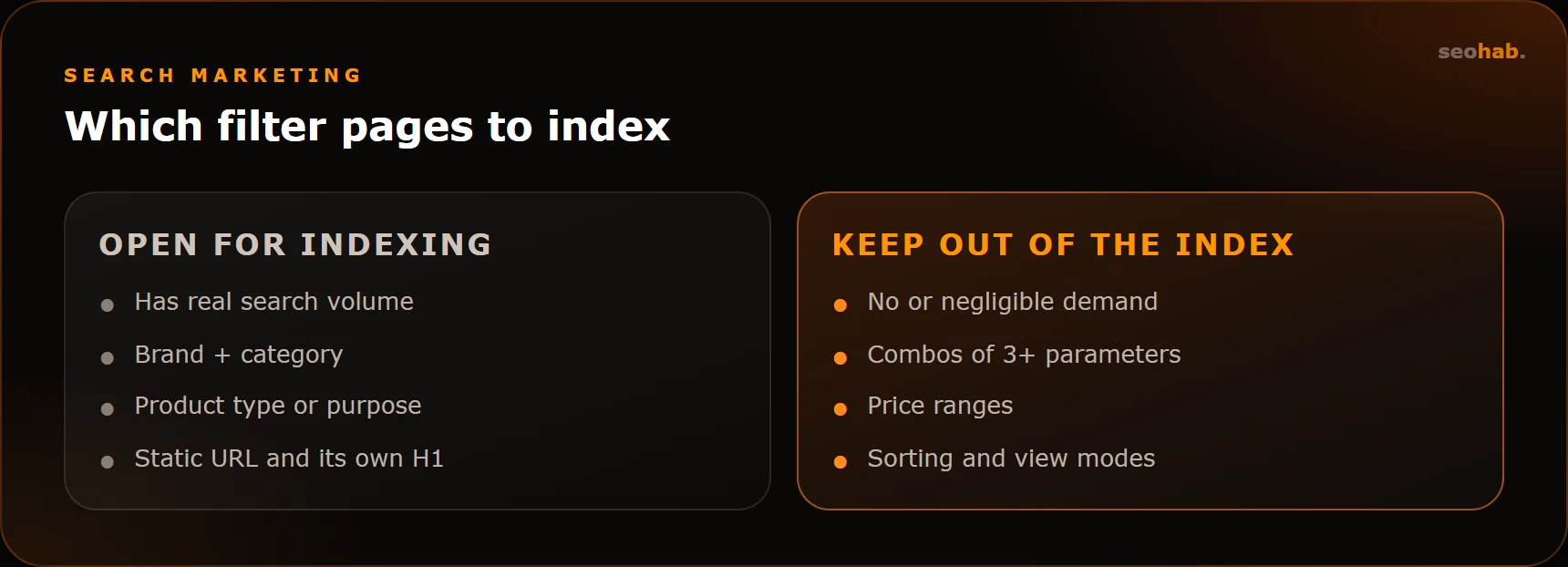
Technically, filter landing pages get clean URLs and go into sitemap.xml, while all other combinations stay on GET parameters with a canonical pointing to the category or a meta robots noindex, follow tag. For Yandex, the Clean-param directive in robots.txt is also useful.
Duplicate content: where it comes from and how to fix it
Duplicates appear in stores on their own, even when nobody makes a mistake. The main sources are:
- One product listed in several categories under different URLs.
- Sorting parameters, UTM tags and session IDs.
- www and non-www, trailing slash and no slash, http and https versions.
- Product variants (color, size) on separate URLs with identical text.
- Print, compare and quick-view pages.
The fixes: pick a primary host and use 301 redirects for technical URL variants, canonical tags for products and parameters, and noindex for utility pages. Variants are usually better merged into one product page with color and size selectors, unless a specific variant has its own search demand.
You can find duplicates in Google Search Console (the Page indexing report) and in Yandex Webmaster (excluded pages under "Pages in search"). For the full picture, crawl the site with Screaming Frog and look for matching titles and H1s.
Pagination without losses
Pages like ?page=2 and ?page=3 exist so crawlers can reach every product in a long category. That's why you should never block pagination from crawling, or products on deeper pages may drop out of the index.
- Pagination links should be plain HTML links, not only script-driven loading.
- Google recommends a self-referencing canonical on each paginated page; Yandex also accepts a canonical to page one. Choose one approach and check how pages appear in both webmaster tools.
- Keep the category text and unique title on page one only; add "Page 2" to titles on the rest.
- A "Load more" button should work on top of regular pagination, not replace it.
How to audit your store yourself
A deep audit takes experience, but basic problems are visible without a specialist. Go through the list below: if three or more items raise doubts, your store needs a technical review.
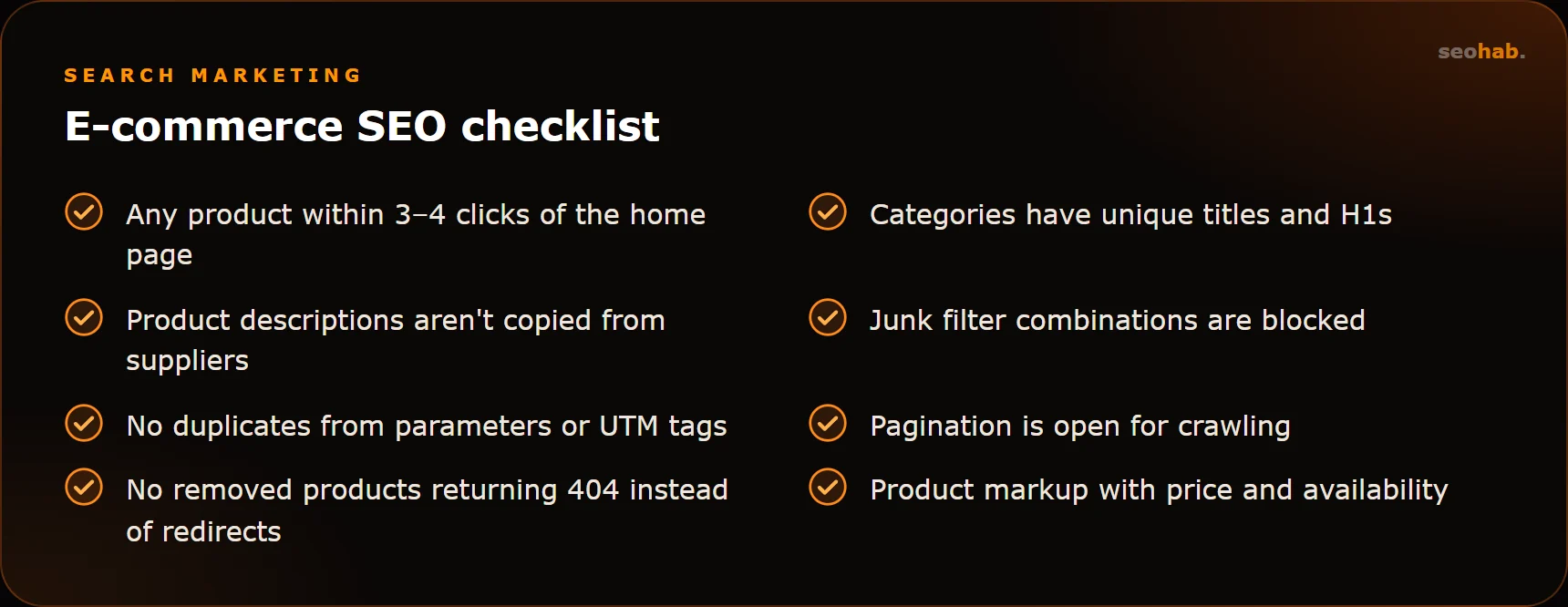
Check speed separately: listings are heavy on images, and Core Web Vitals often suffer there. Google's thresholds are LCP up to 2.5 s, INP up to 200 ms and CLS up to 0.1. You can check them in PageSpeed Insights and in the Search Console report.
Summary
E-commerce SEO is above all about controlling which pages get into the index. Categories serve broad demand, filter landing pages serve refined demand, product pages serve product queries, and everything else stays out of the index so it doesn't dilute the site.
If you're only planning a store, build the right structure and filters in from the online store development stage, since reworking a live catalog costs more. If your store is already running but traffic isn't growing, start with an audit as part of SEO services: we'll find duplicates, configure filters and build a growth plan.
Read also
 SEO
How to Measure SEO Results: Metrics, KPIs and Reports to Demand From Your Agency
Which metrics show the real impact of SEO, which KPIs to put in the contract and how to read your agency's report so you see revenue, not just rankings.
 SEO
Schema.org Markup: Which Types Your Business Needs and How to Get Rich Results
Which Schema.org types a business website actually needs, how to implement and validate them, and what decides whether you get rich results in search.
 SEO
Local SEO: Ranking in Google Business Profile and Yandex Maps for Businesses with an Office
A step-by-step guide to local SEO: Google Business Profile and Yandex Maps listings, reviews, multiple locations, linking maps to your website and common mistakes.