
Schema.org markup is a way to tell search engines exactly what is on a page: a product with a price, a business with an address, an article with an author, or a list of questions. People understand this from the design, but crawlers need explicit labels. With them, Google and Yandex can show a rich result in search: price, rating, availability, breadcrumbs.
Below we cover which markup types a business website really needs, how to implement them without a research project, and why even perfect markup doesn't guarantee an enhanced snippet.
What markup gives you and what not to expect
Structured data is not a direct ranking factor on its own: a page won't jump from position twenty to three just because you added JSON-LD. Its value lies elsewhere.
- The snippet becomes more noticeable and informative, so it gets more clicks at the same position.
- Users see price, availability or rating in advance and arrive better prepared.
- Search engines understand entities on your site more accurately: company name, contacts, products.
- The data can be reused in related features: maps, product panels and search answers.
Keep in mind that markup is an application for a rich result, not a guarantee. The search engine decides whether to show it, based on site quality, how well the markup matches visible content, and the type of query.
JSON-LD or Microdata: which format to choose
The Schema.org vocabulary can be added to a page in three ways: JSON-LD, Microdata and RDFa. In practice the choice is between the first two.
- JSON-LD is a separate script block with data in JSON format. It's easier to generate from a CMS, doesn't require touching the layout and is easy to maintain. Google recommends this format, and Yandex supports it too.
- Microdata means attributes directly inside HTML tags. It fits when templates are rigid and adding attributes is easier than adding a script. The downside: markup breaks with any redesign.
For new sites, choose JSON-LD almost every time. The key rule for any format: markup should only describe what users can see on the page. The price in JSON-LD can't differ from the price on screen.
Which Schema.org types a business needs
The vocabulary has hundreds of types, but a business site usually needs five to seven. The set depends on what you sell and what pages you have.
| Type | Where to place it | What it provides |
|---|---|---|
| Organization / LocalBusiness | Home, contacts | Name, logo, address, phone, opening hours |
| BreadcrumbList | All inner pages | Section path instead of a raw URL in the snippet |
| Product + Offer | Product pages | Price, availability, rating in search |
| Service | Service pages | Service description, area served, provider |
| Article / BlogPosting | Blog posts | Headline, date, author, image |
| FAQPage | Q&A blocks | Question structure; Google now shows it rarely |
| Event | Events, webinars | Date, location, format |
Service business websites
At a minimum, add Organization or a suitable LocalBusiness subtype on the home and contact pages, plus BreadcrumbList on inner pages. For local businesses, it matters that the name, address and phone in your markup match your Google Business Profile and Yandex Business listings.
Online stores
The core is Product with a nested Offer: price, currency, availability. If the site has genuine customer reviews, add AggregateRating and Review. Plus BreadcrumbList and Organization.
Blogs and content sections
Use Article or BlogPosting with published and modified dates, author and image. This helps search engines judge how fresh the content is.
Example: what to include in Organization
An example of a basic field set for a company: name for the official business name, url for the website, logo pointing to the logo file, telephone and email, address with city, street and postal code, and sameAs with links to the company's official social profiles. For LocalBusiness, add openingHoursSpecification with business hours and geo with coordinates. That's enough for search engines to connect the site with the company and its map listings.
How to earn rich results: the conditions
Even valid markup often doesn't turn into a rich result. To improve your chances, several conditions should be met:
- The markup is valid and includes all required properties for its type per Google and Yandex documentation.
- The data matches the visible content of the page.
- The type fits the page: Product belongs on a product page, not on a category listing dozens of items.
- The site as a whole is considered high-quality and doesn't violate search guidelines.
- The page is indexed, and the search engine has recrawled it since you added the markup.
Also account for changes on the search engines' side. For example, Google has limited FAQ rich results and retired HowTo rich results. You can keep FAQPage markup, but don't build your strategy around it.
How to implement markup step by step
Work from templates rather than individual pages: product page markup is written once and then filled automatically with catalog data.
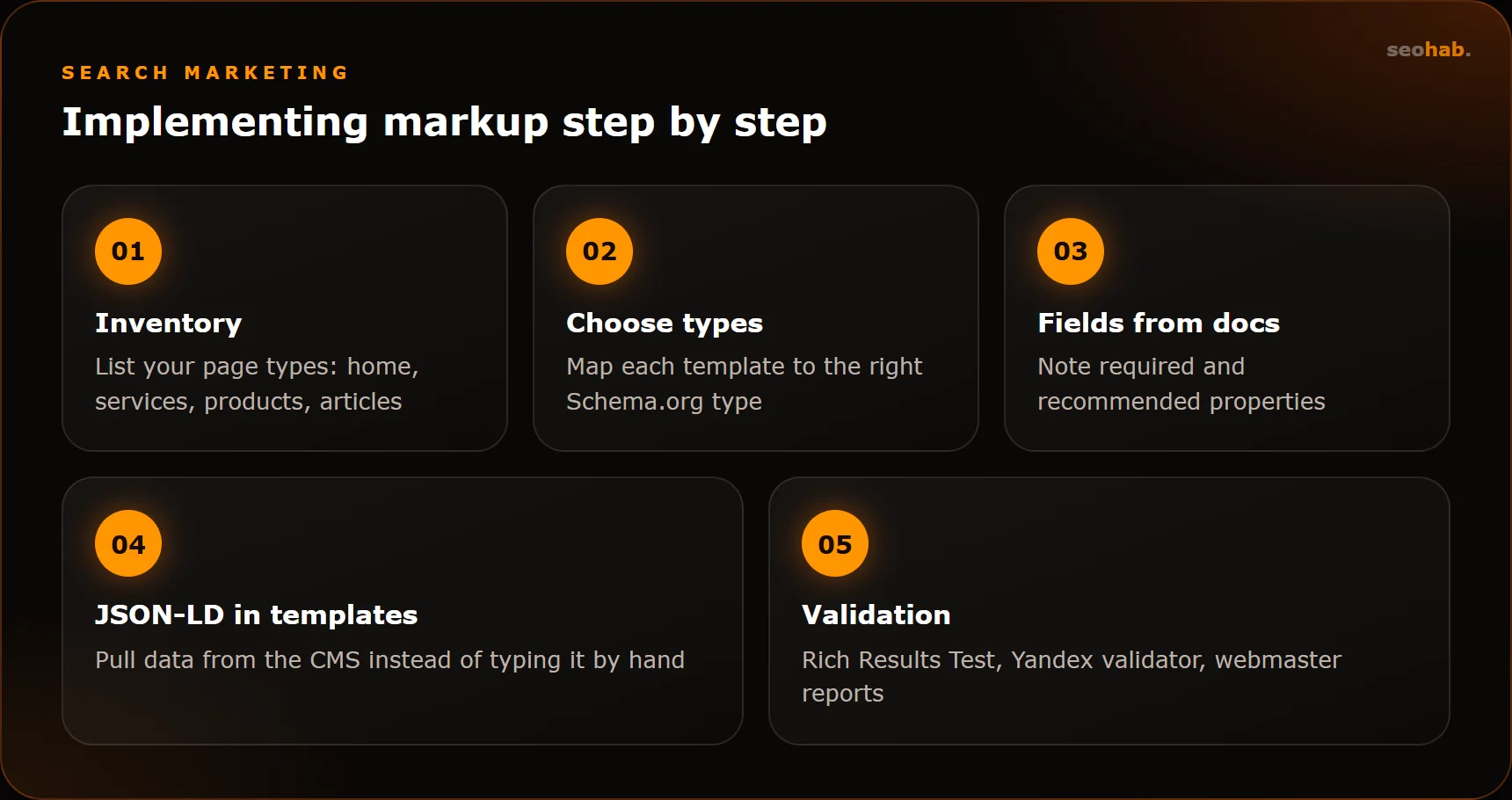
Popular CMSs have ready-made modules and plugins, but check what they output: they often add redundant or conflicting types. If your templates are custom, a developer should generate markup on the server so it's present in the source HTML rather than appearing only after scripts run.
Common mistakes and how to check yourself
Most structured data problems repeat from site to site. These are the most frequent:
- Marking up reviews and ratings that aren't on the page, or a company's reviews of itself.
- Prices in markup that don't update along with prices on the site.
- Duplication: a CMS plugin and a developer both added the same type with different data.
- Product markup on category or service pages without a specific product.
- Missing required fields: currency, availability, name.
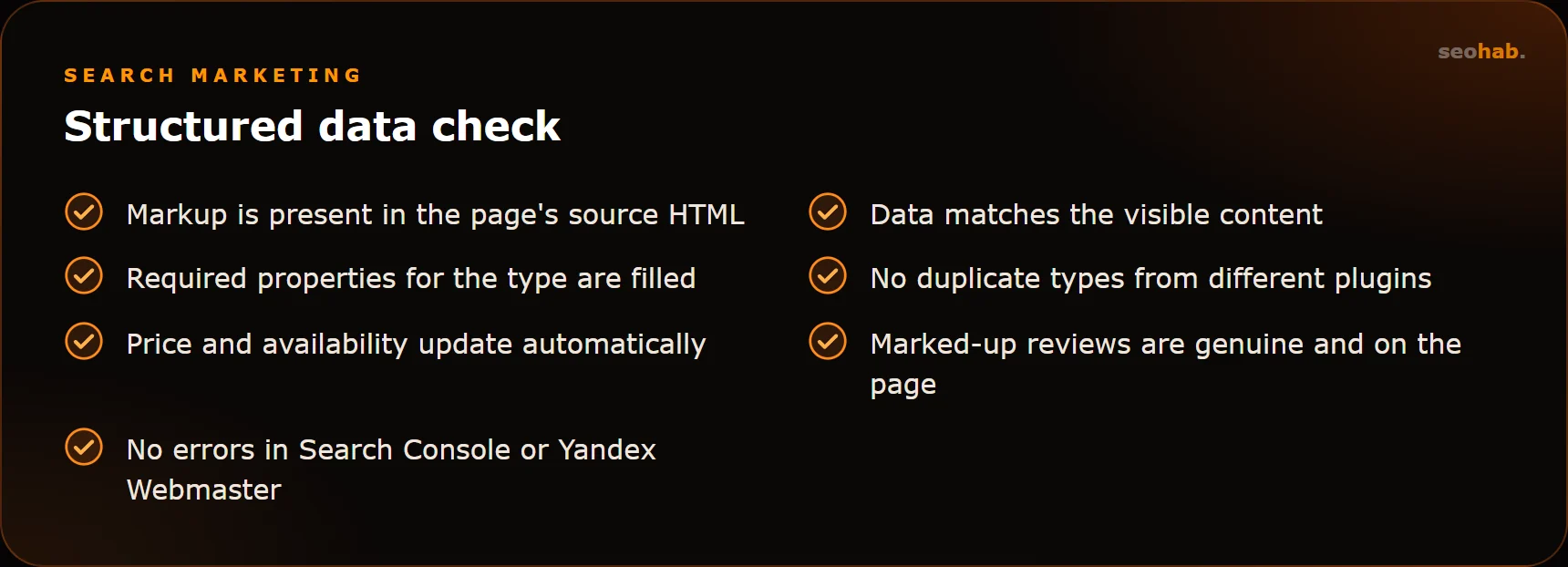
The validation tools are free. In Google, use the Rich Results Test for a specific URL and the Enhancements reports in Search Console, which show errors across the site. In Yandex, use the structured data validator in Webmaster. For a general syntax check, there's the Schema Markup Validator. Re-check your markup after every template update.
How to measure the impact of markup
Judge the result by how the snippet performs, not by the fact that markup was added. In the Google Search Console Performance report, you can filter by search appearance and compare the CTR of pages with and without rich results. In Yandex Webmaster, check impressions and clicks per page in the Search queries section.
Compare equal periods before and after implementation and account for seasonality. If rankings stayed the same but CTR went up, the markup is working. If no rich result has appeared several weeks after recrawling, go back to the conditions above: the usual culprit is mismatched data or missing fields.
In short
Schema.org markup is an inexpensive way to make your snippet stand out and help search engines understand your site. Start with the basics: Organization or LocalBusiness, BreadcrumbList, Product for stores and Article for blogs. Implement JSON-LD in templates, mark up only visible data and regularly check errors in webmaster tools.
If you need markup added to an existing site, that's a typical website improvement task. As part of our SEO services, we review markup together with technical optimization and make sure rich results support your website conversion, not just a prettier search listing.
Read also
 SEO
How to Measure SEO Results: Metrics, KPIs and Reports to Demand From Your Agency
Which metrics show the real impact of SEO, which KPIs to put in the contract and how to read your agency's report so you see revenue, not just rankings.
 SEO
E-commerce SEO: Categories, Product Pages, Filters, Duplicates and Pagination
How to set up the catalog, categories, product pages, filters and pagination so your store gets traffic from Google and Yandex instead of drowning in duplicates.
 SEO
Local SEO: Ranking in Google Business Profile and Yandex Maps for Businesses with an Office
A step-by-step guide to local SEO: Google Business Profile and Yandex Maps listings, reviews, multiple locations, linking maps to your website and common mistakes.