
A website technical specification is a document that describes what the finished result must be: which pages, features, integrations and quality requirements. Without it, the client and the developer are picturing two different websites — and they usually find out at handover, when any rework is the most expensive.
Below we explain how to write a website technical specification even if you are not a technical person: where to start, which sections to include, how to phrase requirements and which mistakes turn the document into a formality.
Why you need a website technical specification
A spec may look like paperwork, but in practice it saves time for both sides by solving three problems.
- It fixes the scope. Everything in the spec is part of the project. Everything else is a separate change request. That prevents disputes.
- It makes estimates realistic. Without a description of features, a developer can only give a wide price range. With a spec, the estimate and the timeline become far more accurate.
- It becomes the acceptance checklist. At handover you check the site against the document, not against a gut feeling.
A good spec is not a thick document — it is a document without ambiguity. Ten pages of specifics beat forty pages of general wishes. We covered how requirements affect the budget in our article on how much website development costs.
Where to start: goal, audience and site type
Before listing pages, answer a few questions. The answers fit on half a page, yet they shape everything that follows.
- Business goal. What the site should bring the company: leads, sales, calls, bookings or trust in the brand.
- Target action. What exactly a visitor should do: submit a request, place an order, download a price list, send a message.
- Audience. Who visits the site, on which devices, and what they need to know before buying.
- Site type. Landing page, business card site, corporate website or online store. If you are unsure, read our guide on how to choose the right type of website.
Also collect 3–5 websites you like and note what exactly you like about each one: the catalog structure, the way prices are presented, the request form. “Make it like theirs” without an explanation does not work.
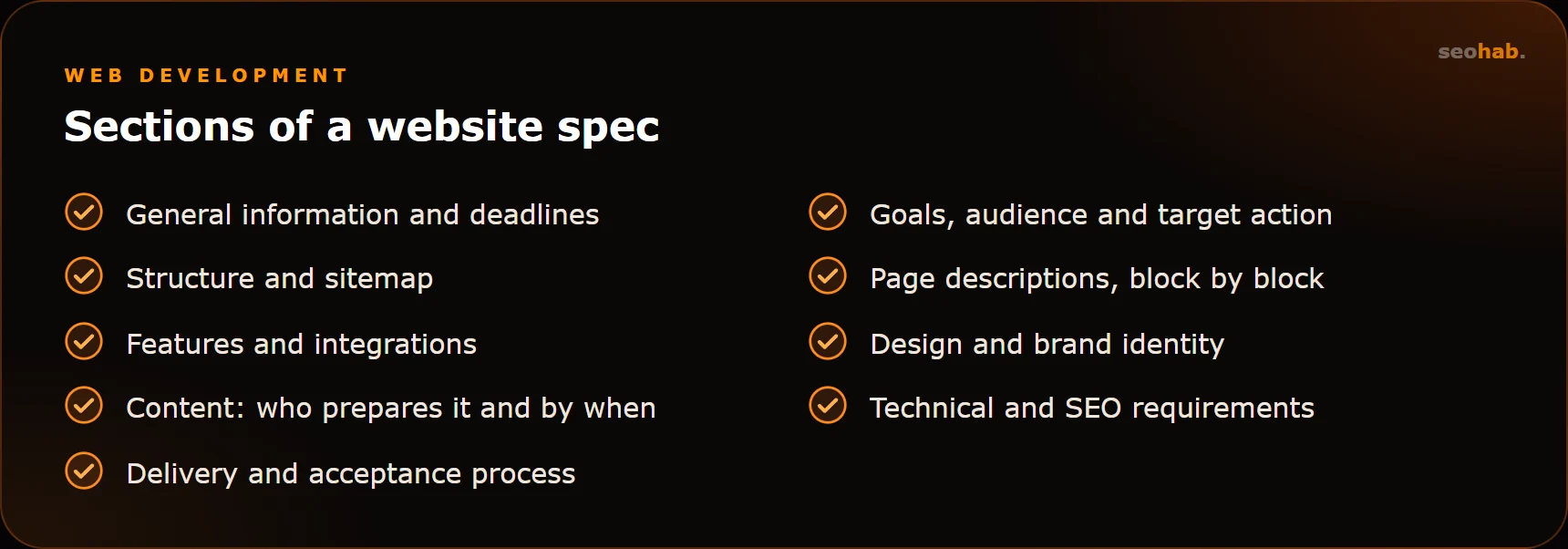
Website specification template: the sections
This template fits most small and medium business projects. You can trim sections to suit the task, but keep the order — from general to specific.
- General information. The company, responsible contacts, links to the current site and social profiles, desired deadlines.
- Goals and audience. Your answers from the previous section.
- Site structure. A list of all pages and sections with their hierarchy — the sitemap.
- Page descriptions. Which blocks each page contains and in what order.
- Functional requirements. Forms, filters, cart, user accounts, search, calculators.
- Integrations. CRM, telephony, payments, delivery, inventory, messengers.
- Design. Brand identity, logo, colors, good examples and what definitely does not fit.
- Content. Who prepares texts, photos and product cards, in what format and by when.
- Technical and SEO requirements. CMS, responsiveness, speed, hosting, basic optimization.
- Delivery and acceptance. Milestones, what counts as done, how many revision rounds are included.
How to describe pages and features
The most valuable part of a spec is the description of pages and features. This is where gaps usually hide — the ones that later turn into “but we assumed that…”.
Pages: blocks from top to bottom
For each key page, list the blocks in order and briefly describe their content. Example: “Home page: hero with the offer and a request button → benefits (4 points) → services with starting prices → portfolio → reviews → request form → contacts and map”.
If you have many similar pages (product cards, service pages), describe the template once and state how many such pages there will be at launch.
For complex pages, attach a wireframe — a layout of blocks without design. Even a hand sketch works: one picture answers dozens of questions you would otherwise settle in chat.
Features: an action scenario
A feature is easiest to describe as a scenario: what the user does and how the system responds. Example: “A visitor fills in the form (name, phone, optional comment) → sees a success message → the lead goes to the CRM and to the manager’s inbox → a goal is recorded in analytics”.
If you cannot describe a feature as a scenario, you probably have not decided yet how it should work. It is better to figure that out before the project starts than in the middle of development.
Technical and SEO requirements
This section is often skipped on the assumption that the contractor will handle it. But if a requirement is not written down, nobody is obliged to meet it. The minimum set:
- the CMS or platform, and the ability to edit content yourself;
- responsive layout for smartphones, tablets and desktops;
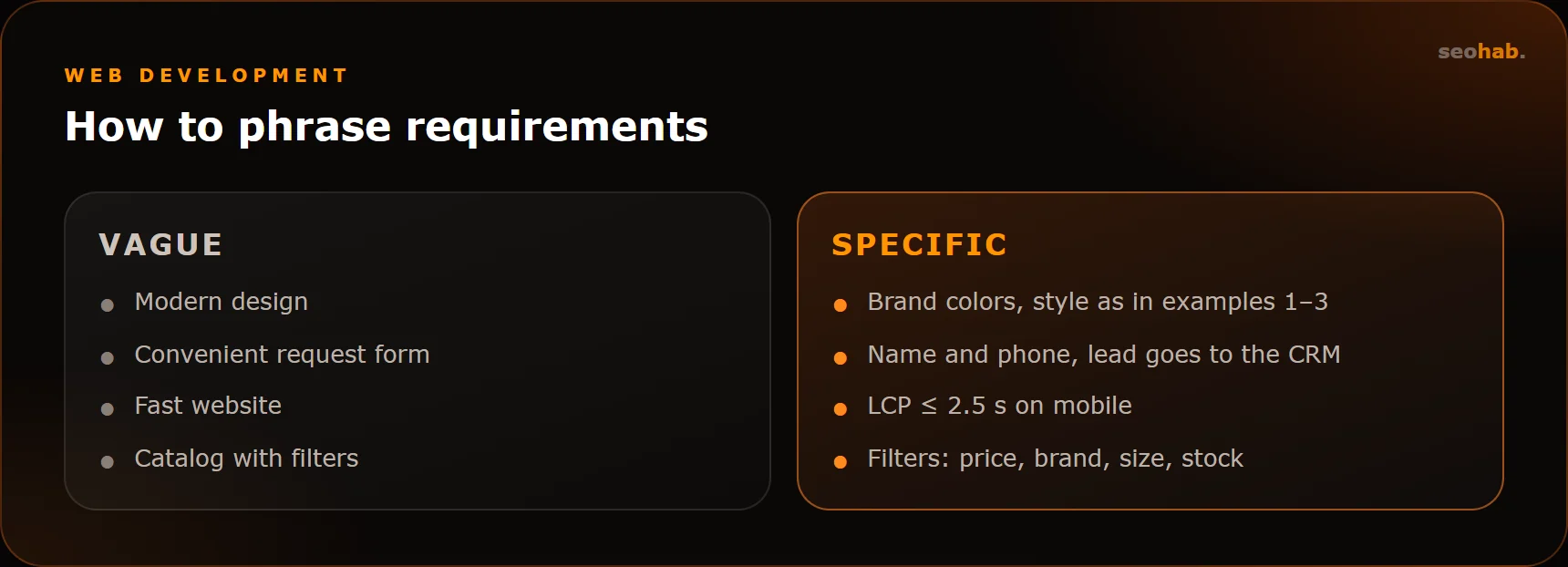
- speed: meeting Core Web Vitals (LCP ≤ 2.5 s, INP ≤ 200 ms, CLS ≤ 0.1);
- HTTPS, backups, and whose name the domain and hosting are registered in;
- Google Analytics 4 and Yandex Metrica installed, with goals configured;
- editable title, description and H1 for every page;
- human-readable URLs, sitemap.xml and robots.txt;
- 301 redirects from old URLs if the site is being migrated.
SEO requirements matter most during a redesign: if old URLs disappear without redirects, you risk losing the search traffic the site has built up.
Common mistakes when writing a spec
- Vague wording. “Modern design”, “easy navigation”, “fast website” are wishes, not requirements. Nobody can verify them at handover.
- Copying someone else’s spec. A template from the internet describes another business. It is useful as a list of questions, not as a finished document.
- Forgetting about content. The site is ready, but there are no texts or photos, and launch slips by weeks.
- No acceptance criteria. Nobody knows when the work counts as finished, so revisions drag on forever.
- Missing integrations and roles. Who receives leads, who edits the site, what permissions managers have — all of this affects development.
- A wish list without priorities. Mark what is needed for launch and what can wait for phase two. That makes it much easier to stay within budget.
How to check your spec before sending it
Before you send the document to a contractor, run through a short list of questions:
- Would an outsider understand what the company does and why it needs a website?
- Are all pages and their blocks listed?
- Can every feature be tested against a scenario?
- Is it clear who prepares the content and by when?
- Are integrations, analytics and SEO requirements included?
- Is there a split between “for launch” and “later”?
If any answer is “no” or “not sure”, do not postpone the project — discuss the gaps with your developer. A good contractor asks clarifying questions and helps turn the spec into a working document.
Summary
A website technical specification is an agreement about the result, written down in plain words. Start with the goal and the target action, describe the structure and pages block by block and features as scenarios, and do not forget content, integrations, technical and SEO requirements. Above all, avoid wording that cannot be verified.
If you need help with the spec or with the project itself, the SeoHab team can take on website development from brief to launch: we will help define the requirements and estimate the scope. Discuss your task via our contacts page.
Read also
 Development
Website Lead Forms: How to Make Sure No Inquiry Gets Lost
Why website inquiries get lost and how to fix it: reliable delivery, notifications, CRM and Telegram, spam protection, analytics goals and regular form testing.
 Development
Corporate Website Structure: Which Pages You Need and How to Connect Them
Which pages a corporate website needs, how to plan its structure around search demand, and how to link sections so visitors reach the enquiry form fast.
 Development
Website Loading Speed and Core Web Vitals: What Affects LCP, INP and CLS and How to Speed Up Your Site
What Core Web Vitals are, which LCP, INP and CLS values count as good, how to test your website’s loading speed and what actually makes it faster.