
Title and meta description tags are the first thing people see about your site in Google and Yandex results. Before they ever visit, they decide whether to click or keep scrolling, and they make that decision based on two lines: a headline and a short description. That is why well-written meta tags are one of the cheapest ways to get more traffic from the rankings you already have.
Below you will find the rules, ready-to-use templates for different page types and a simple way to audit your own site.
What title and description tags are and what they affect
The title is the page headline inside the <title> element. Browsers show it on the tab, and search engines usually use it as the clickable line of the snippet. It is also one of the key signals that tell a search engine what the page is about and which query it answers.
The meta description is a short summary of the page. It has little direct effect on rankings, but it often appears under the headline in results. A good description explains what the visitor will get after clicking, which raises the click-through rate.
Keep in mind that search engines are not obliged to show your text. Google regularly rewrites titles and pulls a fragment from the page instead of your description, and Yandex builds its own snippet when it thinks that answers the query better. The more accurately your tags match the content, the less often this happens.
Rules for writing a title tag
A good title has to work for both the algorithm and the person reading it. Here are the rules we follow:
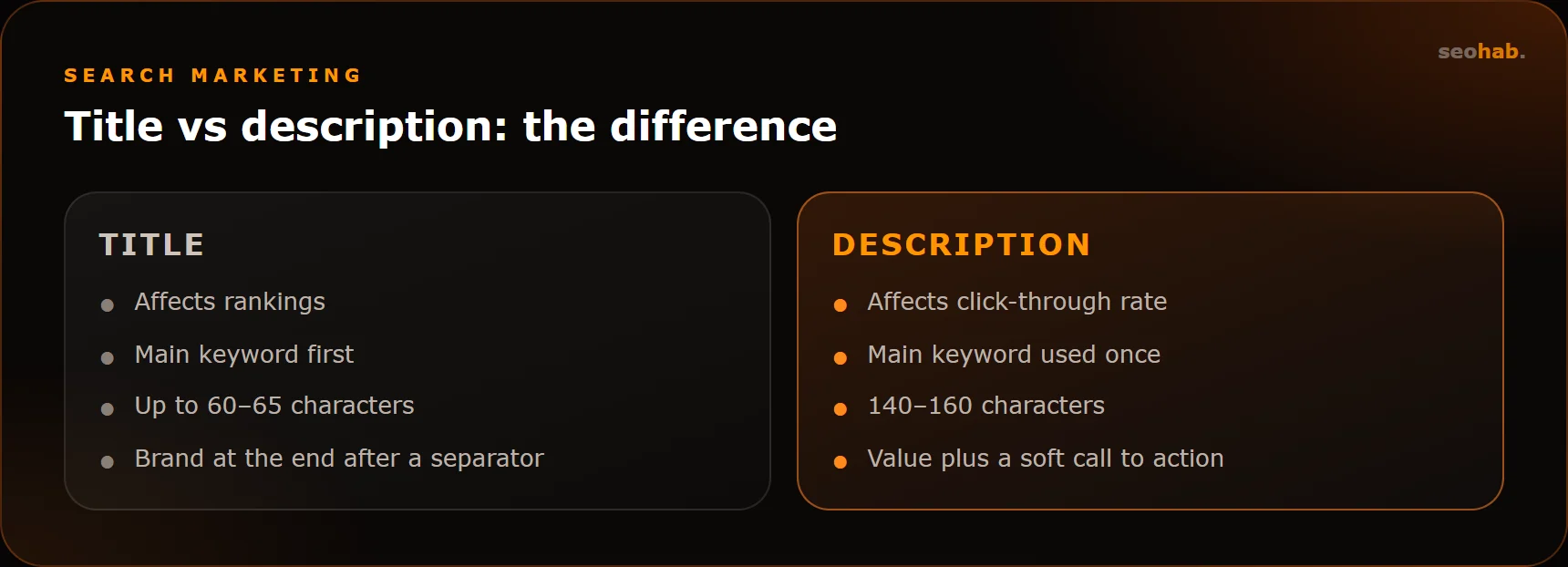
- Make it unique. Every page needs its own title. Duplicate titles confuse search engines and make it harder for them to pick the right page.
- Put the main keyword first. Lead with the core phrase and place the brand at the end after a separator.
- Watch the length. Aim for roughly 60–65 characters. Longer titles are allowed, but the tail gets cut off and important words may disappear.
- Be specific. City, product type, service format, the current year for time-sensitive topics: anything that sets the page apart and helps people choose you.
- Write naturally. Not “buy sofa London cheap sofas”, but “Sofas in London: Catalogue with Delivery”.
One title, one main topic. If you are squeezing five different queries into a single headline, some of them probably deserve separate pages.
Rules for writing a meta description
Think of the description as a tiny ad. It does not need to repeat the title; its job is to add to it and give people a reason to click.
- Keep it to 140–160 characters, which usually fits in a snippet without truncation.
- Use the main keyword once. Matching words are highlighted in results, making the snippet stand out.
- Offer value and facts: what is on the page, how you differ, the key terms such as delivery, timelines, warranty or consultation format.
- Add a soft call to action: “Find out”, “Compare”, “Get a quote”, without shouting or a row of exclamation marks.
Never promise in the description something the page does not deliver. Visitors who cannot find what they were promised go straight back to the results, and that is a bad signal for search engines.
Meta tag examples for different page types
The templates below are illustrative examples for a fictional company. Swap in your own wording but keep the logic.
Home page
The home page answers the question “who are you and what do you do”. Example title: “Turnkey Apartment Renovation in Manchester — BuildHome”. Example description: “Apartment renovation in Manchester with a fixed estimate and a written contract. In-house crew, staged payments, free on-site measurement.”
Service page
Here the specific service and its terms matter most. Title: “Bathroom Refurbishment in Manchester: Timelines and Cost”. Description: “What a bathroom refurbishment includes, how long it takes and how the estimate is calculated. See examples of our work and get a price after measurement.”
E-commerce category
Category pages work well with variable-based templates: “{Category} — Buy in {City} | {Store}”. Description: “{Category} in stock: {N} models, delivery across {City}, pay on delivery.” The key is that the variables produce genuinely different text rather than hundreds of near-identical lines.
Product page
Title: “{Model name} {key spec} — Buy at {Store}”. The description should cover the main specs, stock status and delivery terms. Writing these by hand is impossible at scale, so the template must pull real data from your product catalogue.
Blog post
The title states a question or promises an answer: “How to Choose Kitchen Laminate: 7 Criteria”. The description briefly reveals what is inside: which criteria, who the guide is for, which mistakes it covers. You can drop the brand from a blog title if you run out of space.
Common mistakes
These are the problems we come across most often during audits:
- Duplicates. One title for an entire section, or a “Home | Website” template across the whole site.
- Empty descriptions. The search engine grabs a random fragment, sometimes text from the menu or the cookie banner.
- Keyword stuffing. A comma-separated list of keywords looks like spam to people and algorithms alike.
- Mismatch with content. The title mentions prices, the page has none, the visitor leaves and the snippet loses trust.
- Brand only. A company name alone in the home page title tells nothing to someone searching for a service.
- Truncated key message. The main point sits at the end of a long title and never makes it onto the screen.
How to audit the meta tags on your site
You can check your meta tags yourself without any special skills.
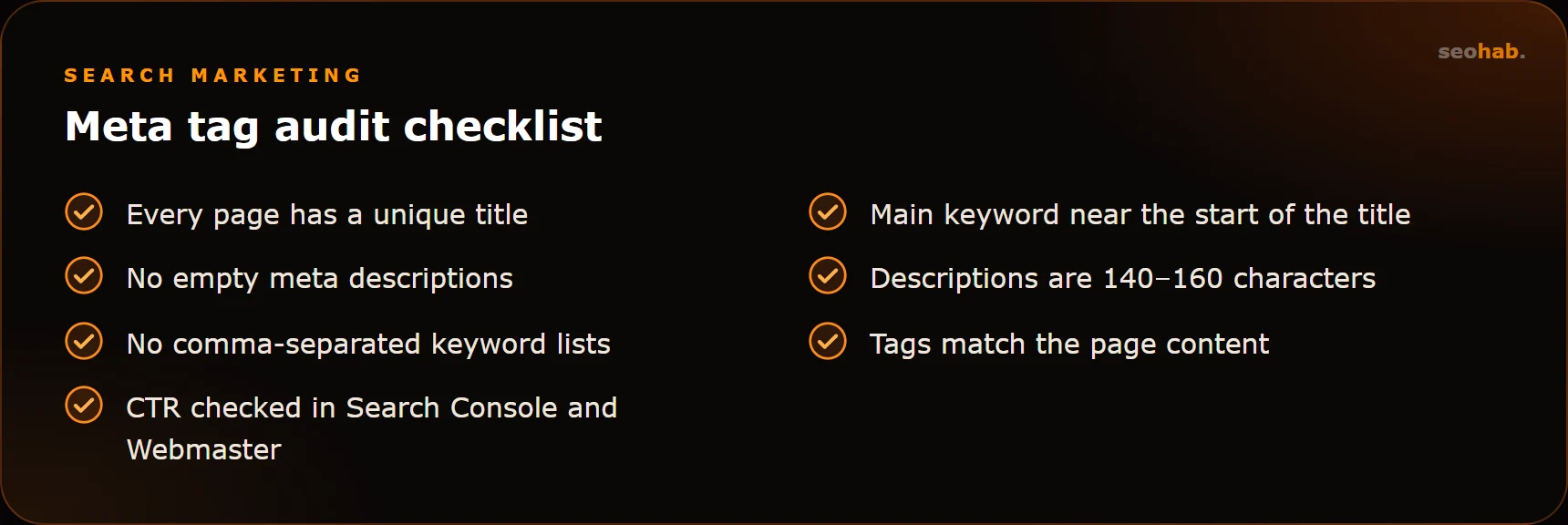
- Screaming Frog or a similar crawler: export every title and description, sort by length, and look for duplicates and empty values.
- Yandex Webmaster: the diagnostics section flags problems, and the search queries report shows which phrases your pages appear for.
- Google Search Console: the Performance report shows impressions and CTR by page. Pages with many impressions and a low CTR are the first candidates for a snippet rewrite.
- Manual check: type the query into the search engine and see what is actually displayed. If the snippet looks nothing like your description, the text needs revisiting.
Do not expect instant results after editing: search engines need to recrawl the pages first. Judge CTR changes over several weeks and compare like-for-like periods.
Managing meta tags on a large site
On a ten-page site you can write every tag by hand. A store with thousands of products needs a different approach: templates for bulk pages and manual work for priority ones.
First, set up templates in your CMS for categories, products, filters and articles. Then pick the pages that bring the most impressions or matter most to the business and write unique copy for them. Repeat the crawl every quarter to catch new duplicates that appear after catalogue updates.
Give separate thought to filter and pagination pages. If they are open to indexing, they need meaningful titles too, otherwise dozens of pages end up sharing the category title. For pagination, adding the page number is usually enough; for filters, include the selected value.
Summary
The title helps a page rank and grabs attention; the description explains why it is worth clicking. Keep both unique, specific and honest, place the main keyword near the start, and check Search Console and Yandex Webmaster reports regularly.
Meta tags are only one part of on-page optimisation. If you would like a team to handle snippets, structure and content for you, take a look at our SEO service or order SEO copywriting. For the bigger picture, read our guide on how to promote a website in 2026.
Read also
 SEO
SEO
Technical SEO Audit Checklist You Can Run Yourself
A step-by-step technical SEO audit checklist: indexing, duplicates, redirects, speed, mobile and structured data — what to check and with which tools.
 SEO
SEO
Keyword Research and Semantic Core: A Step-by-Step Guide
How to build a semantic core yourself: keyword sources, cleaning, clustering and mapping queries to pages on your site.
 SEO
SEO
SEO or PPC Advertising: Which Should Your Business Choose?
Compare SEO and PPC by speed, cost per lead and long-term value. Learn when SEO pays off, when PPC wins and how to combine them without overspending.